

How to use
How to use Pillbond
Pick who you are, or pick a topic. Each guide goes screen by screen, with pictures from the real app and the small details that save a phone call.
Updated 12 November 2026
Overview, guides, who sees what, settings
Pillbond in five lines
What Pillbond is
A medicine reminder for older parents and the family who looks after them, even from another city. You can also use it for yourself.
The alarm rings like a call
At each dose time the phone rings full screen, even on silent. One slide on I took it records the dose.
The family sees each answer
Taken, skipped or not sure shows on the family's phones. They hear about missed doses and help requests.
Papers, scans and visits in one place
Scan a prescription and AI fills in the medicines for you to check. Papers stay in Records, and doctor visits in Visits.
Widgets and watch too
See the next dose on your home screen, and get your dose on Apple Watch or a Wear OS watch.
The map: how the parts fit
Each tile is one part of Pillbond. An arrow means the part sends something to the next one. The chip says how far it is today.
- LiveOn the app and seen working on a real phone or a test build.
- BuiltIn the app code, not yet seen on a real phone.
- In progressBeing built now.
- DesignedThe design is agreed. Not built yet.
- PlannedAn idea. Not designed yet.
Today and alarms
LiveShows the day's medicines and rings at each dose time, so the person answers with one slide.
Tested on a real Android phone in Play test builds and on a real iPhone. The new version is not yet in a public store release.
Sends to: Family, Notifications and phone readiness, Widgets, Watch
Read the guideScan and Records
LiveAI reads a medical paper, you check every line, and the paper is kept in Records.
Scanning is used on real phones. Deleting a paper is built and on the server, but not yet in a phone build.
Sends to: Visits, Today and alarms
Read the guideVisits
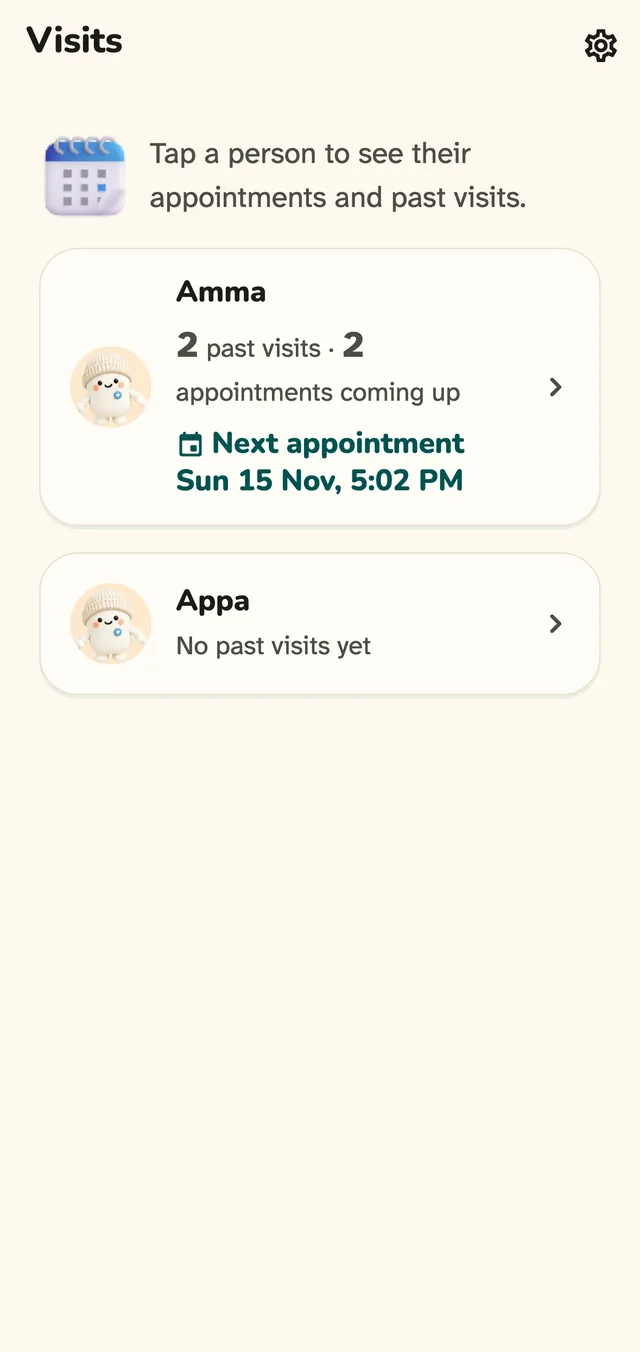
LiveKeeps appointments coming up and past visits, with the bills and papers from each.
In the app since October. Since 12 Nov a scanned prescription, or a doctor note with a clinic, adds its visit by itself.
Sends to: Family
Read the guideFamily
LiveThe caretaker adds a parent, sets their medicines and sees every answer, help request and monthly report.
On real phones in test builds. A full two-phone family test of the newest version is still to do.
Sends to: Today and alarms, Notifications and phone readiness
Read the guideNeed help
LiveThe parent asks the family for help in one tap, and the family sees who is helping.
Live since October. The 11 Nov change that moves Need help into the scrolling day is not yet seen on a phone.
Sends to: Family, Notifications and phone readiness
Read the guideWidgets
LiveShows the next dose and the day on the home screen. A tap opens the app; it never records a dose.
Widgets run on real phones. The newest look, the Widgets screen and Android Family circle are built but not yet seen on a phone.
Read the guideWatch
BuiltShows a due dose on Apple Watch or a Wear OS watch, and you can answer it from your wrist.
Marked built to be careful: the watch app is on a real Apple Watch, but no real dose has yet been answered on a real phone and watch pair.
Sends to: Today and alarms
Read the guideSubscription
BuiltOne plan screen for the Myself side and the caretaker side. It sets AI scan pages and how many parents a plan covers.
Built and tested on a computer, not yet on a phone. Buying in the stores is not switched on, so everyone is on the free plan. Alarms never need a plan.
Sends to: Scan and Records, Family
Read the guideAccount and privacy
LiveSign in, change language, export your data, sign out, delete your account and report a problem.
Report a problem is checked on a computer only. A list of agreements you gave is built but not shown yet.
Read the guideNotifications and phone readiness
LiveChecks the phone settings that could stop an alarm, and tells the family if an alarm may not ring.
Checked on a real Android phone. Some Xiaomi steps and some iPhone parts are not yet seen on a real phone.
Sends to: Today and alarms, Family
Read the guide
Alarms, Today, family, scan, Records and Visits run on real phones in test builds, while the watch, the newest widgets, role switching and the plan screen are built but not yet seen on a real phone, and buying a plan is not switched on.
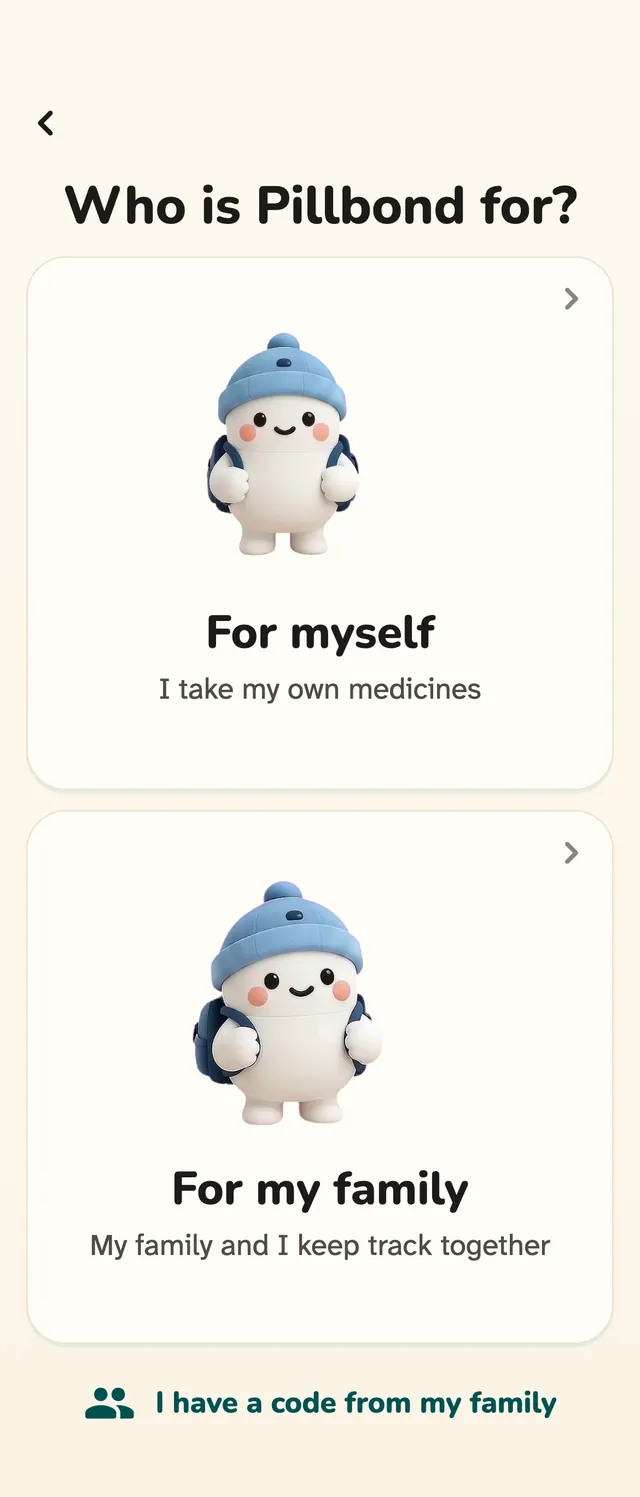
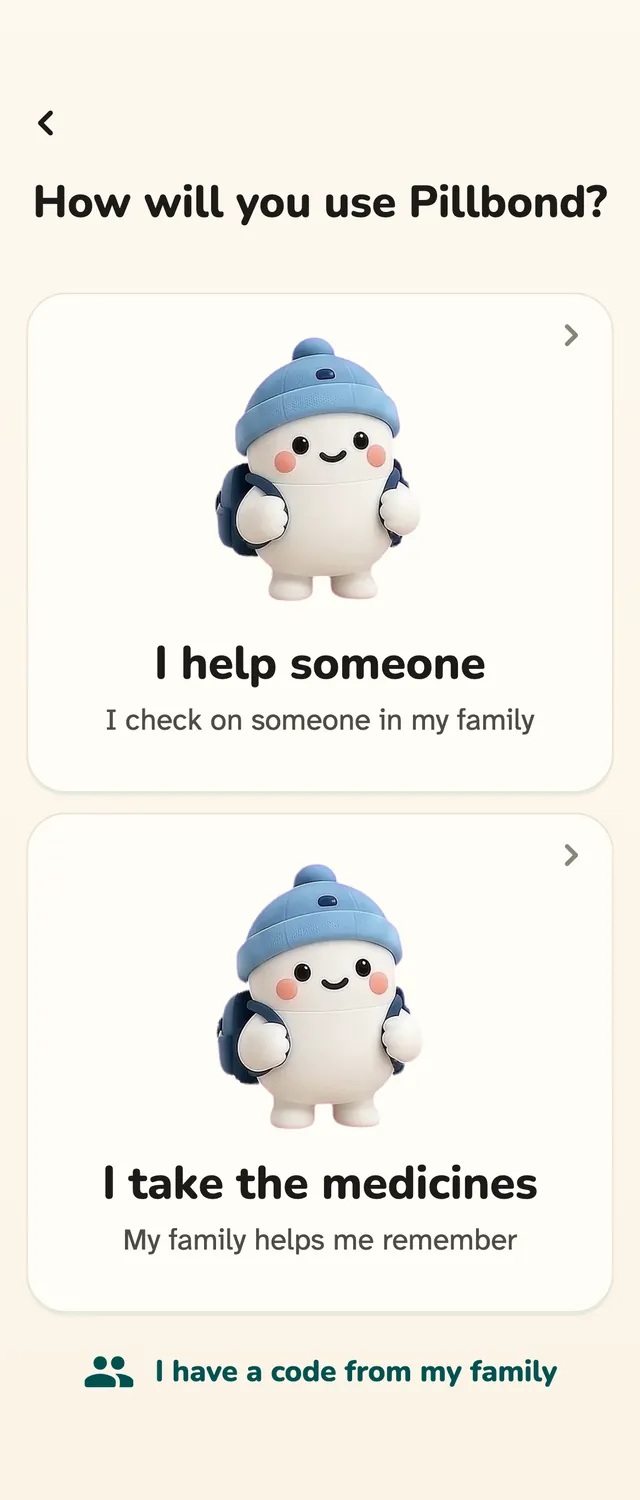
Start with who you are
- MyselfHow to use Pillbond for yourselfFor adults who look after their own medicines, with no family needed.
- CaretakerHow to look after your parent with PillbondFor sons, daughters and helpers who set things up and follow a parent's day.
- ParentHow to use Pillbond as a parentFor parents whose family set up their medicines and sent them a code.
Or pick a topic
- TestersFor testers: join the Pillbond testJoin the Android test, install the app and tell us what went wrong.
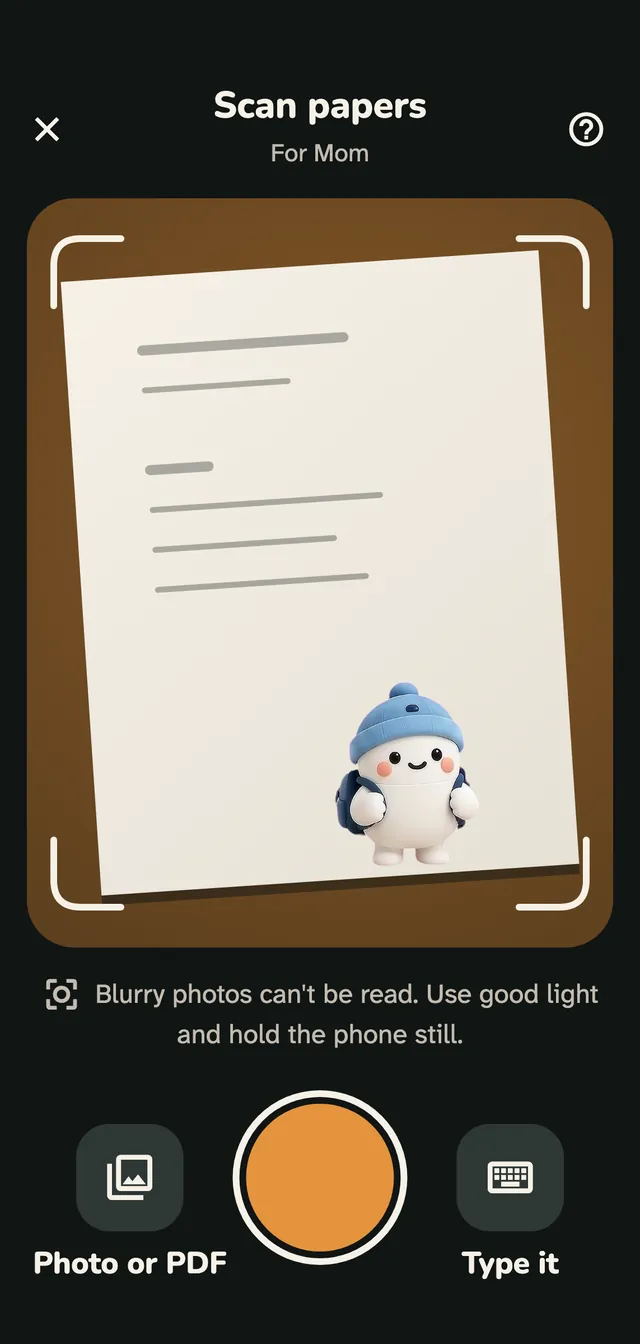
- Family and parentHow to scan a prescription and use RecordsScan a medical paper, check what the AI read, save the medicines and keep every paper in Records.
- EveryoneHow to use Visits in PillbondAppointments coming up, past visits, and the bills and papers from each one.
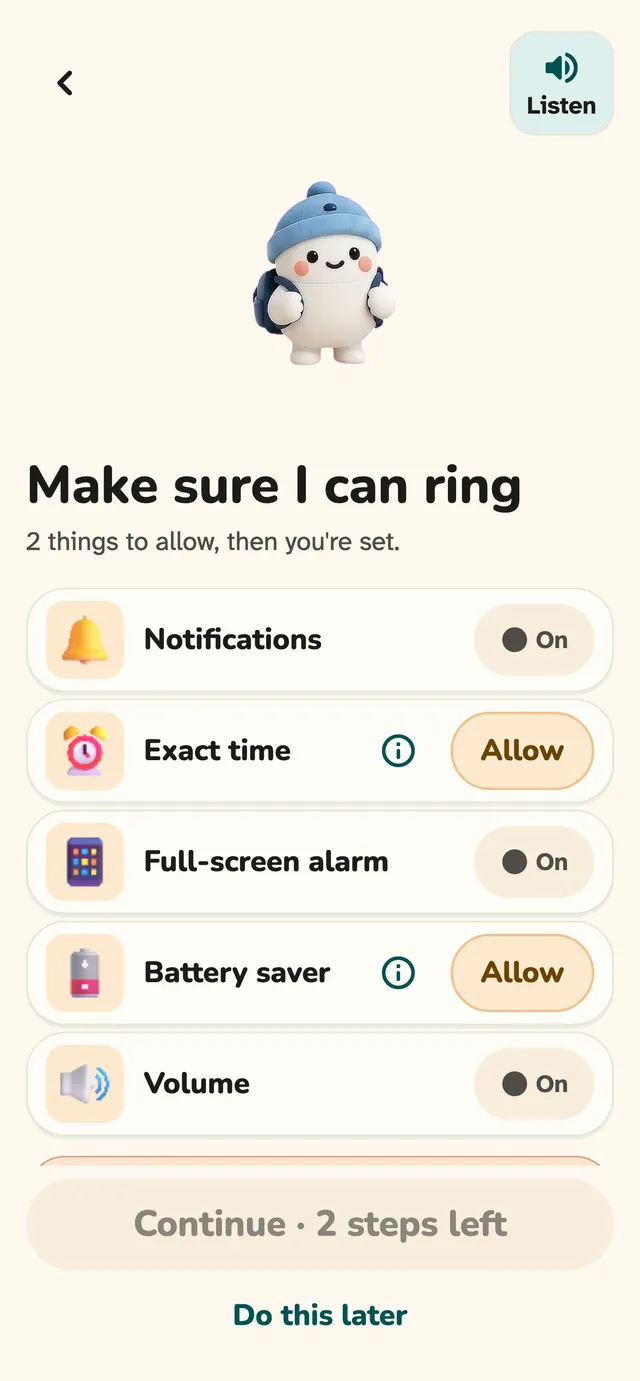
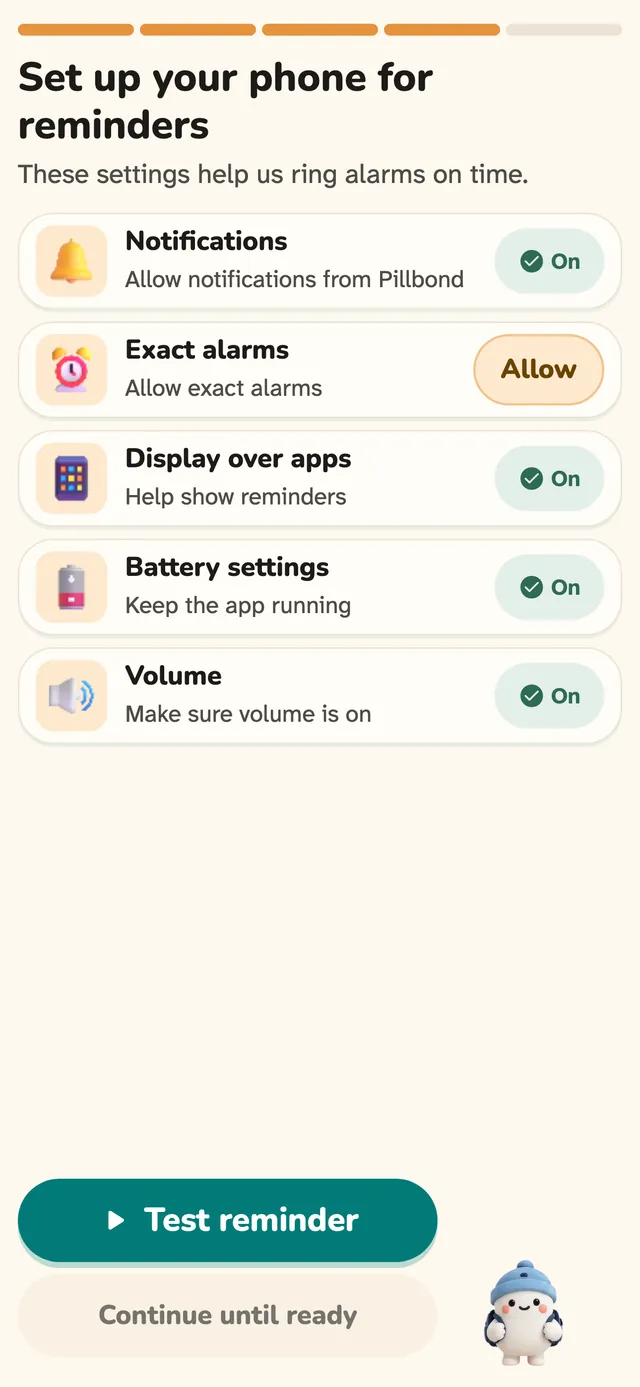
- Parent and SelfHow to make Pillbond alarms ring on AndroidAllow the few phone settings that let the medicine alarm ring on time, full screen and out loud.
- Parent and SelfHow Pillbond alarms work on iPhoneAllow alarms and notifications on iPhone, test a reminder and know what iPhone allows and what it does not.
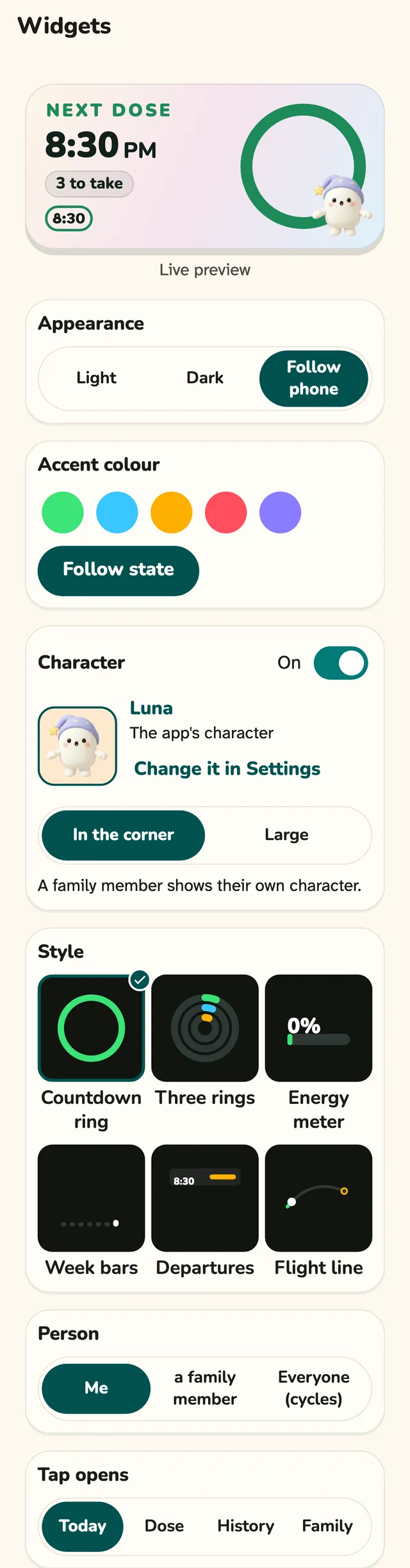
- EveryoneUse Pillbond widgets on your home screenPut the next dose and your family's day on your home screen, on Android and iPhone.
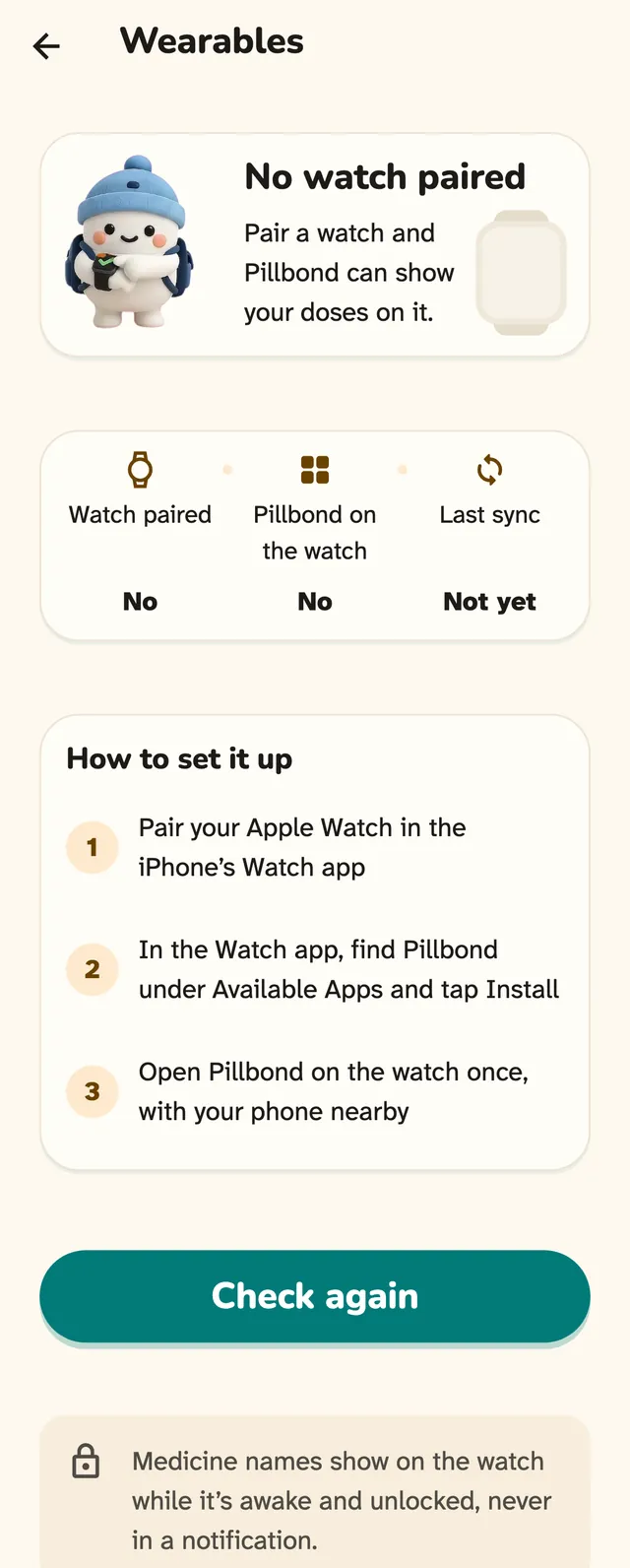
- EveryoneUse Pillbond on your watchGet your dose on your wrist and answer it there, on Apple Watch and Wear OS.
- Myself and caretakerYour Pillbond plan: the Myself side and the caretaker sideFind Subscription, see what your plan covers, and switch between Myself and caretaker.
- EveryoneSign in, manage your account and keep your data privateSign in, change language, export or delete your data, sign out and report a problem.
Who sees what
Three kinds of people use Pillbond: you for yourself, a caretaker, and the parent.
| What | Myself | Caretaker | Parent |
|---|---|---|---|
| See today's answersOwners, editors and viewers all see answers. | Yes, your own on Today | Yes, for each person you look after | Yes, your own on Today |
| Get missed-dose alertsEach family member chooses their own alerts for each parent, under Your notifications. | No push. Today shows the dose as Missed | Yes, a push you can turn on or off | No. Your phone rings at dose time |
| Add or change medicinesViewers see only. A parent can see their medicine list but not edit it. | Yes | Owner and editors | No. Your family adds them |
| Edit meal timesAlarm times come from meal times. Viewers cannot change them. | Yes, as Your day's times | Owner and editors | Yes, in Settings |
| Scan a paperA viewer cannot scan or save. | Yes | Owner and editors | Yes |
| See Records | Yes, Records on the bottom bar | Yes | Yes, in Settings, My health, My papers |
| Delete a paperBuilt, but not yet in a phone build. Medicines saved from the paper stay, with their alarms. | Yes, your own papers | Owner and editors | No |
| Add visitsA viewer cannot add or edit visits. | Yes | Owner and editors | Yes, your own visits |
| Ask for help | No | No. You answer help requests | Yes, Need help on Today |
| Answer a help requestViewers see a request but cannot accept it. | No | Owner and editors | No |
| Send Remind again for a missed dose | No | Owner and editors, once per dose | No. You get the loud reminder |
| See the care score and monthly reportsReports are for family members who see the parent's answers. They are not a medical assessment. | No. Your history shows your doses | Yes | No |
| Ask where a parent is (Find)One reading only, deleted after 24 hours. | No | Owner and editors | You choose Share or Not now |
| Invite family and manage access | No. Switch to caretaker first | Owner only | No |
| See SubscriptionEditors and viewers are covered by the family's plan and have nothing to buy. Parents never see a plan. | Yes, Settings, Subscription | Yes, Settings, Plan & subscription | Never |
| Switch roleSame account, no sign-out, and your own alarms keep ringing. Built, not yet seen on a real phone. | Yes, to caretaker | Yes, to Myself | No |
Settings and status
The settings that matter, and where to find them.
Reminder alert
Settings > Reminder alert
Ring like a call or as a notification, plus sound and vibration. For Myself and parents.
Read the guideMeal times
Myself: Settings > Your day's times. Parent: Settings > Meal times. Caretaker: the parent's page > Medicines > Meal times
The times of the day that set when alarms ring.
Read the guideQuiet hours
Family > the parent > Your notifications > Quiet from and Quiet until
Your own quiet hours for dose and help pushes. They never touch the parent's alarms.
Read the guideLanguage
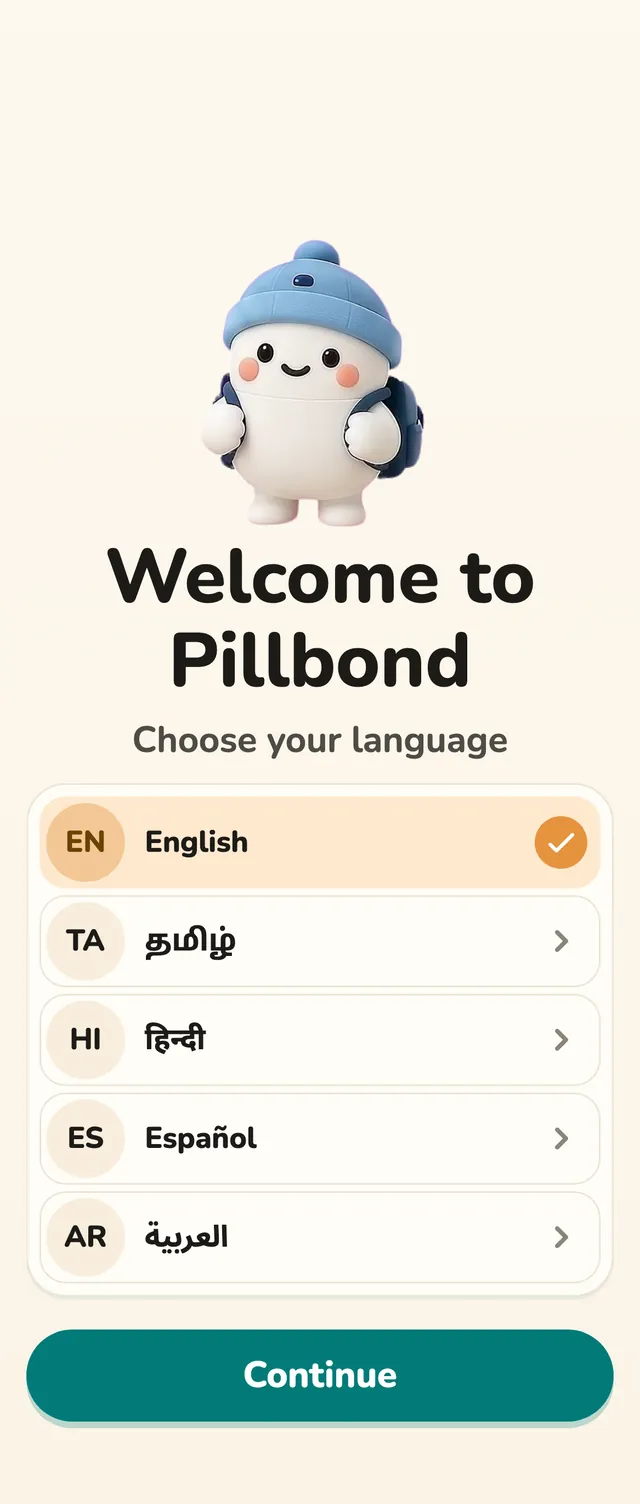
Settings > Language
English, Tamil, Hindi, Spanish or Arabic. The app changes at once.
Read the guideWidgets
Settings > Home-screen widget
Appearance, accent colour, character, style and what a tap opens.
Read the guideWatch
Settings > Wearables
Shows your watch, whether Pillbond is on it and the last sync, with Send a test.
Read the guidePhone readiness
Settings > Phone ready for alarms
Checks notifications, exact time, full screen, battery and silent mode, with Fix for each.
Read the guideTry a reminder
Settings > Try a reminder
Rings a test reminder that records nothing.
Read the guideSwitch role
Settings > Switch role
Moves between the Myself side and the caretaker side, with no sign-out.
Read the guideSubscription
Myself: Settings > Subscription. Caretaker: Settings > Plan & subscription
Your plan and what it covers. Parents never see it.
Read the guideReport a problem
Settings > Help > Report a problem (on Myself, Help is on the Account page)
Sends what went wrong straight to the Pillbond team, with no medicine names.
Read the guideDelete account
Settings > Account > Delete account
Deletes your account and data after you confirm. It cannot be undone.
Read the guide
Checked against the app on 12 November 2026. Alarms, Today, family, scan, Records and Visits run on real phones in test builds, while the watch, the newest widgets, role switching and the plan screen are built but not yet seen on a real phone, and buying a plan is not switched on.